Boost Your Remote roductivity with These WordPress Plugin Recommendations
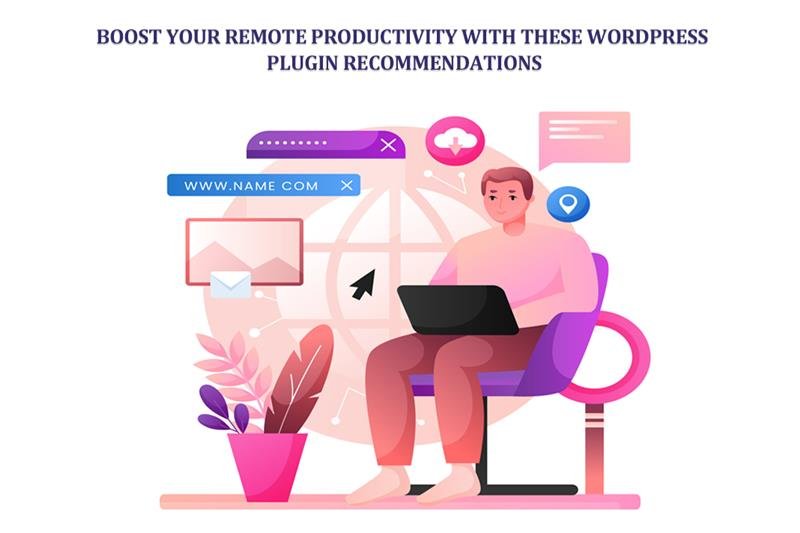
Can WordPress plugins truly make remote work run more smoothly? Remote jobs bring great freedom, but they also bring more distractions, fewer deadlines staring you in the face, and a quieter chat box.
Whether you run a one-person agency, sit in a global team, or manage a full-featured online store, keeping the work moving from home isn't easy. The trick? Make your WordPress site do the heavy lifting by adding plugins that streamline chat, track tasks, speed up writing, and facilitate team cooperation.
Stack the right tools, and your site becomes a mini-command center that guards your focus. Ready to up your game? This post lays out the must-have WordPress plugins that turbocharge your workflow, slice away unproductive minutes, and boost your digital output—all from the same dashboard you already love.
Why WordPress is a Productivity Powerhouse
Most people think of WordPress only as a way to build blogs and websites. But under the hood, it's a powerful work hub that fits everyone—bloggers, developers, marketers, and online business owners.
With the right plugins, you can run projects, automate busywork, manage messages, and track results—no need to jump between apps, which is a productivity killer for remote teams.
Whether you need calendars for editorial plans, team chat tools, or connections to customer databases, WordPress can bring it all together, saving you time and allowing you to get more done.
Top 10 Must-Have WordPress Plugins to Boost Your Remote Productivity
1. Editorial Calendar: Plan Your Content Like a Pro
Keeping a remote team on the same page means knowing exactly what’s going out and when it’s due. The Editorial Calendar plugin gives you an easy drag-and-drop look at all your upcoming posts.
You can see what’s in the queue, tweak things on the fly, and swap articles around to keep the pipeline flowing. It’s a lifesaver when you’re wrangling a busy blog or coordinating a few different writers.
With that calendar up, you can kiss last-minute fretting, missed deadlines, and lost ideas goodbye. Your content stays lined up, and your productivity hits new highs.
2. WP Project Manager: Bring Teamwork to Your Dashboard
Keeping track of tasks and remote teammates can spiral out of control quickly. WP Project Manager changes your WordPress dashboard into a powerful project management center. You can assign tasks, create deadlines, check milestones, and add comments all on the same page—wave goodbye to bouncing between Trello, Asana, and your inbox.
Since it lives in WordPress, the whole squad stays connected. If you go premium, you can also track time and use Gantt charts, which are great for making sure larger projects keep cruising along.
3. Slack Integration: Keep Communication Flowing
Fast, clear communication is the lifeblood of remote teams. The Slack Integration for WordPress syncs your site with your Slack channels. Whenever something important happens—like a new post, a new user sign-up, or a form submission—Slack lets your whole crew know instantly.
This cuts down on email noise and keeps everyone synchronized. Whether it’s fresh blog comments or new WooCommerce orders, your team sees the updates the moment they land.
4. WPForms: Simplify Remote Data Collection
Data collection is a must for remote teams, whether you’re getting feedback, gathering leads, or working support tickets. WPForms is a drag-and-drop form maker that helps you build clean, mobile-first forms in just a few minutes.
Start with a template, customize it, and plug it into over 1,000 other services. Design contact forms, surveys, polls, or even payment forms, all in one place. Your team can collect info from colleagues and customers without needing extra tools—goodbye, Google Forms.
5. Yoast SEO: Keep Content Optimized Without Distraction
When you’re writing from different locations, fewer eyes are on the draft. Yoast SEO helps by offering real-time tips on readability and SEO. It’s like a helpful, automated editor that ensures your content pleases readers and search engines at the same time.
You’ll fix fewer issues later and stay in your creative zone. Yoast also keeps remote writing teams on the same SEO page, so you don’t have to call in a specialist for every post.
6. UpdraftPlus: Automated Backups for Peace of Mind
When you’re working between video calls, emails, and deadlines, it’s easy to let backups slip your mind. UpdraftPlus takes that worry away by running nightly backups and sending them straight to your favorite cloud, like Google Drive or Dropbox.
If a server crash or a plugin misfire happens, you can bring everything back to normal in a handful of clicks. That keeps your data safe and your focus laser-sharp on your tasks, instead of on the next “Oh no!” moment.
7. MonsterInsights: Make Smarter, Faster Decisions
In a busy remote life, you don’t have time to chase down reports. MonsterInsights connects your WordPress site to Google Analytics and brings the key data straight to your WordPress dashboard.
You can see where visitors are coming from, which pages keep them reading, and how many are turning into customers—without ever opening Google Analytics. All the data you need to fine-tune your marketing or brainstorm new posts is instantly available with no extra tabs or clicks. That’s the kind of fast knowledge that keeps your projects moving forward.
8. WooCommerce Product Video Plugin: Enhance Store Management Remotely
When you’re running an online shop from a beach or a coffee shop, stunning visuals are your best sales tool. The WooCommerce product video plugin lets you drop videos right onto product pages in a snap. A quick demo, a customer acting out their love for your product, or a how-to video—all these clips keep visitors scrolling long enough to hit that buy button.
For teams that never share a time zone, this plugin delivers polished, consistent content without endless emails. Slap a video into the product gallery, and buyers can see exactly what they’re getting, which means they ask fewer questions and send back fewer returns. Your support team and your profit margins will thank you.
9. Grammarly for WordPress: Write Without Worry
When you work remotely, the writing never stops. Whether it's a quick team email, a new blog post, or a detailed product guide, clarity is non-negotiable. Grammarly’s free browser extension slides right into the WordPress editor. As you type, it points out grammar slip-ups, clunky phrases, and unclear tone.
Those little red underlines are super simple to fix while you’re still in the zone, which means fewer back-and-froths with teammates about copy tweaks. The end results? Fewer mistakes in your blog, shorter revision rounds, and a more polished, professional site.
10. Broken Link Checker: Keep Your Site Healthy
Broken links hurt user experience and can drag down your SEO. The Broken Link Checker plugin runs periodic scans of your site and sends out alerts for any links that are broken or outdated. You can fix or remove the link right from the same dashboard.
For remote teams, this tool is a game-changer. It automates the link-checking chore, so no one has to comb through every post. On big sites with dozens or even hundreds of pages, the hours saved really add up.
Conclusion
Remote work gives you the freedom to choose where you work, but that freedom can turn into distraction without the right focus and the right tools. By turning your WordPress site into a dedicated workspace, you can cut the noise and the lag that come with home offices.
Whether you’re crafting a blog post, managing an online shop, or collaborating with a team, plugins like WP Project Manager, Editorial Calendar, and the WooCommerce product video plugin keep you organized, secure, and moving fast. These tools aren't optional add-ons; they’re the muscle that pushes your productivity forward.
The goal is to work smarter instead of harder. With the right setup, your WordPress site transforms from a regular page on the web into the bustling control center of your remote life.