E-Paper CMS
  • Home
  • E-Paper
  • Web Stories
Subscriber Login
Menu
HomeNews

Using The Strong Tag in HTML for BOLD SEO Impact

admin Nov 25, 2025 1 view
Using The Strong Tag in HTML for BOLD SEO Impact
Listen to this articleReady
Ever stared at the bold button in your editor and wondered what’s REALLY happening behind the scenes? You’re not alone. Many people use the <strong> and <b> tags interchangeably, thinking they do the exact same thing. But here’s the secret: they don’t. One has a significant impact on your SEO and website accessibility, while the other is purely for looks. It's time to master the <strong> tag in HTML, understand its HUGE difference from the <b> tag, and learn how to use it to boost your WordPress SEO.

What is the HTML <strong> Tag? The Simple Answer

In the simplest terms, the <strong> tag is your way of telling a web browser (and search engines like Google) that the text wrapped inside it is VERY important. It’s not just about making text look bold; it’s about giving it semantic meaning. Think of it as raising your voice to emphasize a critical point in a conversation.
  • The <strong> tag tells browsers that the text inside has strong importance, seriousness, or urgency.
  • It's a semantic tag, which means it describes the meaning of the text, not just its appearance.
  • Visually, nearly all browsers will render the text inside a <strong> tag with a bold font weight.

Basic Syntax and Example

Using the <strong> tag is straightforward. You simply wrap the important text with an opening <strong> tag and a closing </strong> tag. It’s that easy! Here is a clear code snippet: <p>This is <strong>critical information</strong>.</p> And here is what the output looks like to a user: This is critical information.

<strong> vs. <b>: The CRITICAL Difference You MUST Know

This is where most beginners get tripped up. Both tags make text bold, so what's the big deal? The difference is HUGE and lies in their purpose. One tag communicates meaning and importance to search engines, while the other is just a stylistic choice, like painting a wall a different color.

When to Use <strong>: For Strong Importance

You should use the <strong> tag when you need to convey that a piece of text is fundamentally more important than the surrounding text. Use it for warnings, key takeaways from a paragraph, or urgent notices that the user absolutely should not miss. It adds a serious tone to the content. Example: Warning: Do not unplug the device while the update is in progress.

When to Use <b>: For Drawing Attention (Stylistic)

The <b> (bold) tag, on the other hand, is purely presentational. It draws the reader's eye to a word or phrase without implying that it's more important than anything else. It’s perfect for things like product names in a review, keywords in a sentence for quick scanning, or labeling interface elements in a tutorial. Example: The next step is to click the Save button in the top right corner.

Comparison Table: <strong> vs. <b> at a Glance

To make it even clearer, here’s a simple table that breaks down the key differences. This is the kind of easy-to-scan information that helps you make the right choice every time. Feature <strong> Tag <b> Tag Purpose Indicates strong importance or urgency (Semantic) Draws visual attention to text (Presentational) SEO Impact Helps search engines understand key content None to minimal Accessibility Screen readers can change their vocal inflection Ignored by screen readers

How the <strong> Tag Impacts Your SEO and Accessibility

Using HTML tags correctly isn’t just for developers; it has real-world consequences for how your site performs. Using the <strong> tag properly sends positive signals to search engines and creates a much better experience for all users, including those with disabilities.

Emphasizing Keywords for Search Engines

When Google crawls your page, it looks for clues to understand what your content is about. Wrapping a primary keyword or a key concept in <strong> tags is like telling Google, "Hey, pay attention to this part! It’s really relevant to the topic." This can help reinforce the main subject of a particular section. However, a word of caution: Do NOT overuse this. Stuffing your text with strongly-tagged keywords looks spammy and can hurt your rankings. Use it naturally and sparingly for maximum impact.

Improving Accessibility for Screen Readers

Accessibility is a crucial part of modern web design. For visually impaired users who rely on screen readers, semantic HTML is essential. A screen reader can recognize the <strong> tag and change its tone of voice to convey the intended emphasis, just as a sighted person would see the bold text. The <b> tag, being purely stylistic, offers no such benefit and is typically ignored, robbing the user of important context.

How to Use the <strong> Tag in WordPress (The RIGHT Way)

The great news is that WordPress makes this incredibly easy, and its modern editor handles this correctly right out of the box. You don't need to be a coding wizard to get this right.

Using the Bold Button in the Block Editor

When you're writing a post or page in the WordPress Block Editor (also known as Gutenberg), all you need to do is highlight the text you want to emphasize and click the 'B' (Bold) icon in the toolbar that appears. Behind the scenes, WordPress is smart enough to use the correct <strong> tag, not the outdated <b> tag.
[Screenshot of the WordPress editor toolbar showing the Bold button]

Checking Your HTML in the Code Editor

If you ever want to double-check your work and feel like a pro, you can easily peek at the underlying HTML. This is a great way to build your confidence and see what's happening.
  • Click on the three vertical dots in the Block Editor toolbar.
  • Select 'Code editor' from the dropdown menu.
  • You can now see the HTML for your content and verify that your bolded text is wrapped in <strong> tags.
This simple check empowers you to ensure your content is structured perfectly for SEO and accessibility. Of course, sometimes you need more than just the right tag. Need help with your WordPress site? Get a free quote from our EXPERT team!

Frequently Asked Questions (FAQs)

Is it bad to use the <b> tag for SEO?

It's not necessarily "bad," but it's neutral. The <b> tag doesn't provide any semantic information to search engines, so it doesn't help your SEO. If you want to signal importance, always choose <strong>.

Can I use the <strong> tag multiple times on one page?

Yes, absolutely. Use it whenever you need to mark text as having strong importance. Just be sure not to overdo it. If everything is important, then nothing is.

Does Google see <strong> and <b> tags differently?

Yes. Google has confirmed that it understands the semantic difference. While both result in bold text, the <strong> tag carries more weight in helping Google understand the structure and key points of your content.

Should I use <strong> in my headings (H1, H2, etc.)?

No, this is redundant. Headings (<h1>, <h2>, etc.) are already semantically important tags that define the structure of your page. Adding a <strong> tag inside a heading adds no extra SEO value.

What is the <em> tag and how is it different from <strong>?

The <em> (emphasis) tag is similar to <strong> in that it's semantic. It's used to apply stress emphasis, which browsers typically render as italics. Think of it as emphasizing a word in a sentence to change its meaning (e.g., "I did not eat the last cookie"), while <strong> is for overall importance or seriousness. Understanding the small but MIGHTY <strong> tag is a simple step you can take to improve your content's quality, SEO, and accessibility. Now that you know the difference, you can write with more confidence and purpose. If you want to take your website to the next level with a custom design and expert development, our team is here to help. Let us build your POWERFUL WordPress website. Get a Quote Today! With our Expert WordPress Development Team, custom themes, and TOP-NOTCH content marketing services, we'll make your online presence truly shine.

Latest posts

Introducing the Power of AI-Powered GetResponse Email Newsletter:Best Email Marketing Software: A Comprehensive Comparison for Empowering Your Marketing EffortsHow to Make Sure Emails Don't Go to Spam? SMTP Using Amazon SESSend WordPress contact email with WP Mail SMTP ProTop 5 Email Marketing Service Provider for Small Business Marketers

Popular posts

01How to easily set up a Google Analytics Stats Dashboard on WordPress 10 views02How To Easily Set Up Form Conversion Tracking in WordPress (Google Analytics) 0 views03Do You Know Which Keywords People Use To Find Your Website on Google? 0 views04MonsterInsights: Track your Website by Google Analytics inside WordPress Dashboard 0 views

Cricket scores

No cricket matches are available.

Weather

Weather24°
Feels like
26°
Humidity
74%
Wind
16 km/h

Latest e-paper

E-Paper

2026-10-12

Facebook

Instagram

New edition: | 12 Oct 2026 Read now: https://200.wpwebsmartz.com/view.php?id=812 Oct 2026Discover a dedicated solution for digital newspaper management with the WPWebsmartz E-Paper CMS. This content management system is specifically designed for managing and publishing digital e-paper editions. Watch this video to explore the core capabilities of the WPWebsmartz E-Paper CMS for digital publishing and newspaper management. Learn more here: https://license.wpwebsmartz.com/epaper_standalone.php #WPWebsmartz #EPaper #EPaperCMS #DigitalPublishing #CMS #NewspaperCMS https://www.youtube.com/watch?v=vb34qg709OQ07 Oct 2026Discover the WPWebsmartz E paper CMS. Explore the dedicated system designed for managing and publishing your e-paper content online. Click the link to learn more about the features and capabilities of WPWebsmartz E paper CMS today. #WPWebsmartz #Epaper #CMS #DigitalPublishing https://license.wpwebsmartz.com/epaper_standalone.php07 Oct 2026Discover the WPWebsmartz E paper CMS. Explore the dedicated system designed for managing and publishing your e-paper content online. Click the link to learn more about the features and capabilities of WPWebsmartz E paper CMS today. #WPWebsmartz #Epaper #CMS #DigitalPublishing https://license.wpwebsmartz.com/epaper_standalone.php07 Oct 2026Are you looking for fully managed dedicated server hosting? A managed dedicated server is always required to get the best performance for your platform. Check out our full Liquid Web Managed Dedicated Server Hosting review to learn more. #LiquidWeb #DedicatedServer #WebHosting #ManagedHosting #HostingReview https://wpwebsmartz.com/liquidweb-fully-managed-dedicated-server-hosting/03 Oct 2026

YouTube

Add the YouTube URL or content URLs in Settings → Articles.

Featured posts

Top Staff Augmentation Companies in India
How Does WooCommerce Product Gallery Support Self-Hosted and Vimeo Videos?The Role of Server-Level Caching in WordPress PerformanceWhy Your Website Needs a Security Plan, Even If You Don't Handle Payments?Why Colour Choices Matter in Web Design

Horoscope

♈ಮೇಷ♉ವೃಷಭ♊ಮಿಥುನ♋ಕರ್ಕಾಟಕ♌ಸಿಂಹ♍ಕನ್ಯಾ♎ತುಲಾ♏ವೃಶ್ಚಿಕ♐ಧನು♑ಮಕರ♒ಕುಂಭ♓ಮೀನು

E-Paper clips

The latest editions do not contain hotspot clips yet.

Web Stories

8 slidesData-Safe WordPress Hosting with Built-In Backup Support 

Reader Survey

Reader Survey

Register your interest and tell us how to contact you.

Your name
Your email address
Which session will you attend?

Related Stories

Dedicated Servers vs Cloud Servers: Which Is Better for High-Traffic Websites in 2026?
Blog

Dedicated Servers vs Cloud Servers: Which Is Better for High-Traffic Websites in 2026?

A sudden traffic spike can be great for your business, but not if your server cannot keep up. As visitors increase, so do database queries, concurrent connections and resource usage. That is where the choice between a dedicated server and a cloud server starts to matter. Cloud servers give you the flexibility to scale

5 Best WordPress Hosting Providers to Consider in 2026
Web Hosting

5 Best WordPress Hosting Providers to Consider in 2026

Finding the right Affordable WordPress hosting provider isn't simple because you need to compare much more than just prices. Speed, uptime, security, support, backups, and scalability all play a part in how well a website performs over time. The challenge is that almost every web hosting company claims to offer the sam

How Digital Publishing Platforms Are Transforming Content Distribution and Reader Engagement
Blog

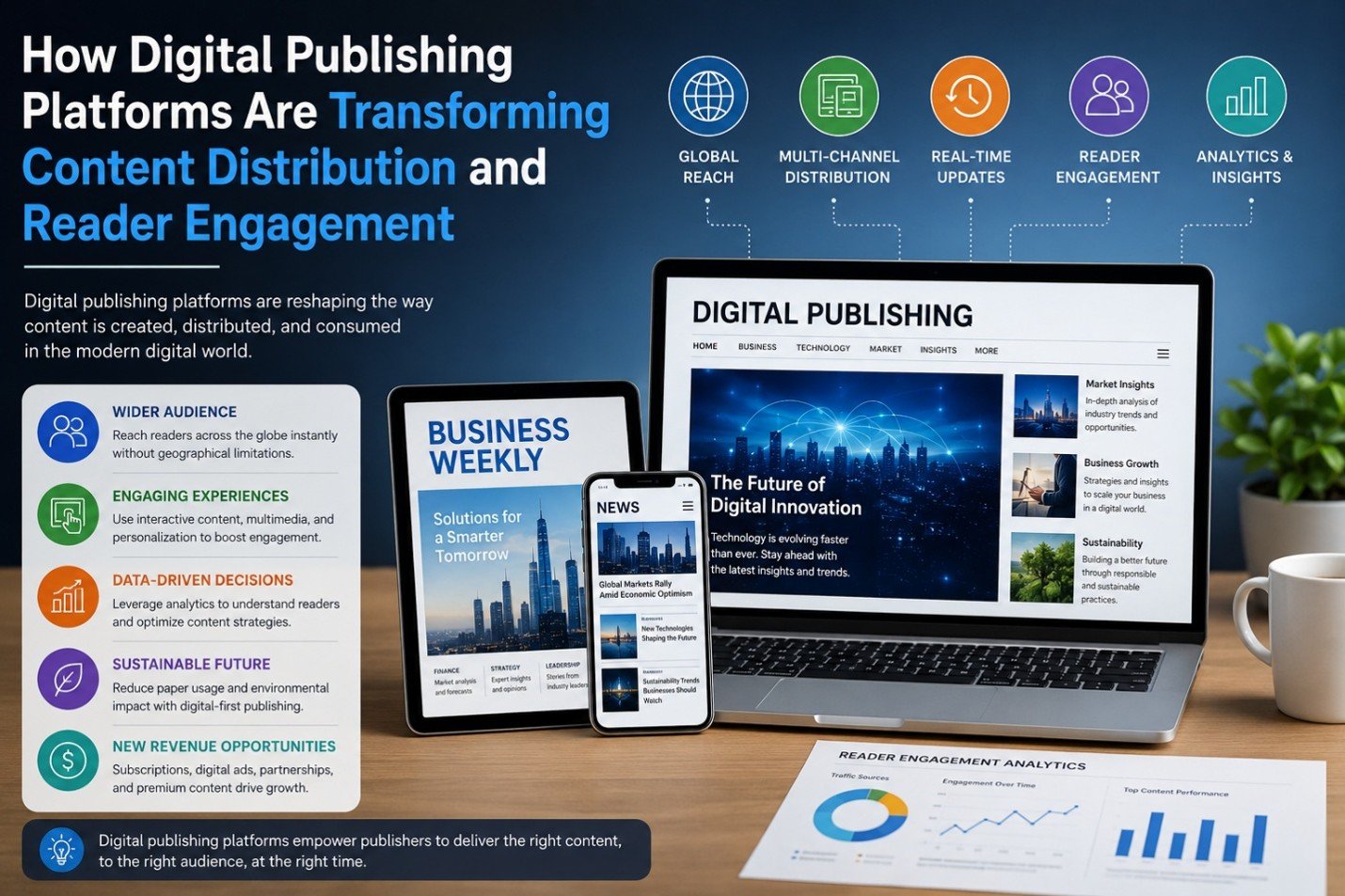
How Digital Publishing Platforms Are Transforming Content Distribution and Reader Engagement

The past decade has witnessed phenomenal shifts in the publishing sector. Digital publishing solutions continue to support – and in many cases, transform - print-centric solutions for providing information across business and media applications ranging from business, news and trade magazines to ebooks. The solutions al

The Impact of AI on SEO and Content Marketing
Blog

The Impact of AI on SEO and Content Marketing

The Impact of AI on SEO and Content Marketing

How to Create a Better Ordering Process for Personalized Products
Blog

How to Create a Better Ordering Process for Personalized Products

Have you ever been excited to buy something personalized, only to get stuck halfway through the ordering process and think, “I'll come back to this later”? Most people never come back. That’s the frustrating part. The customer already wants the product. They aren’t comparing ten competitors. They aren’t debating whethe

Why Every WooCommerce Store Needs a Side Cart
Blog

Why Every WooCommerce Store Needs a Side Cart

Have you ever added something to an online cart and then been immediately redirected to a completely different page? It’s frustrating. You were browsing and comparing products and maybe thinking about buying a few more items. Then suddenly, you’re staring at the cart page instead of the products you wanted to keep expl

Latest NewsLive updates
  • Home
  • E-Paper
  • Web Stories
Logo

© 2025 E-Paper CMS. All rights reserved. | Developed by sunilubar.974@gmail.com

Epaper CMS by WPWebsmartz