Unlocking New Revenue Streams with GetResponse's Content Monetization Platform

There are numerous opportunities to monetize your website or blog, and the GetResponse Content Monetization Platform is a new solution.
Introductions of GetResponse’s Content Monetization Platform
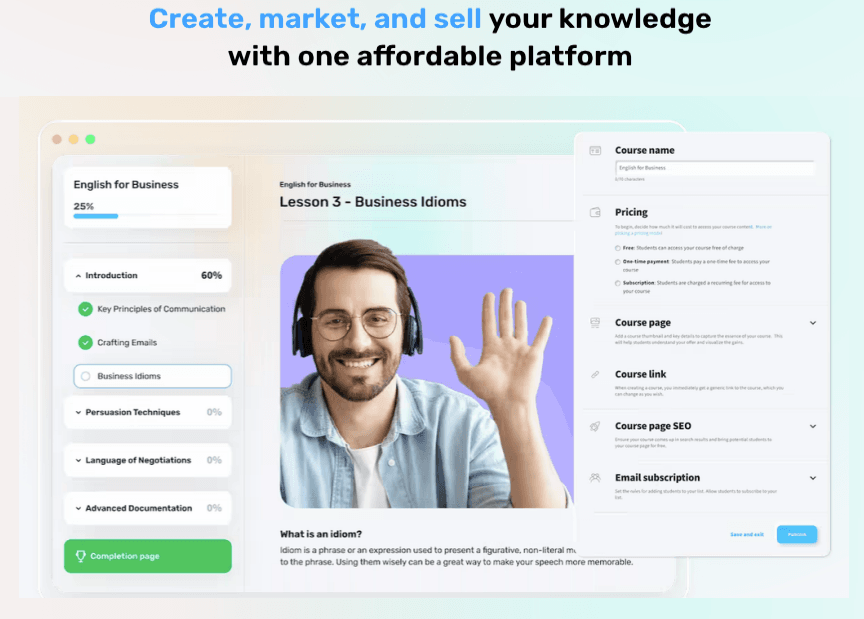
Finding effective ways to generate revenue from your website or blog is essential for growth and sustainability. Whether you're a content creator, blogger, or business owner, diversifying your income sources is key to maximizing your online presence. GetResponse’s Content Monetization Platform offers a powerful solution to unlock new revenue streams, helping you easily turn your content into profit. In this blog, we’ll explore how this platform empowers users to monetize their content while providing a seamless experience for creators and audiences.
The GetResponse Content Monetization plan is designed specifically for online content creators who are seeking comprehensive tools to effectively create, promote, and monetize their content. This specialized plan caters to individuals and businesses aiming to turn their knowledge and expertise into profitable online products.
With the Content Monetization plan, users access a robust suite of tools that streamline the process of building, marketing, and selling digital content. The platform is versatile, enabling creators to develop various offerings such as online courses, webinars, ebooks, and other educational content.
One standout feature is the ability to create an unlimited number of online courses. This empowers creators to scale their educational content without limitations, allowing them to design and launch courses tailored to their niche or audience’s specific needs. Each course can be fully customized, with multimedia integration, interactive elements, and structured modules that enhance the learning experience.
Additionally, the plan integrates promotional tools to help creators reach a broader audience. These include email marketing, landing pages, and automation tools that make it easier to engage with potential customers, nurture leads, and drive conversions.
Furthermore, the platform offers streamlined selling capabilities, making it simple to set up payment gateways, manage pricing, and create subscription models or one-time purchase options. This all-in-one approach allows creators to focus on producing high-quality content while the platform handles the logistics of monetization and sales.
Overall, GetResponse’s Content Monetization plan provides a complete solution for creators looking to turn their expertise into a sustainable revenue stream, with a seamless combination of content creation, marketing, and monetization tools.
How to Monetization our Content with GetResponse’s Content Monetization Platform
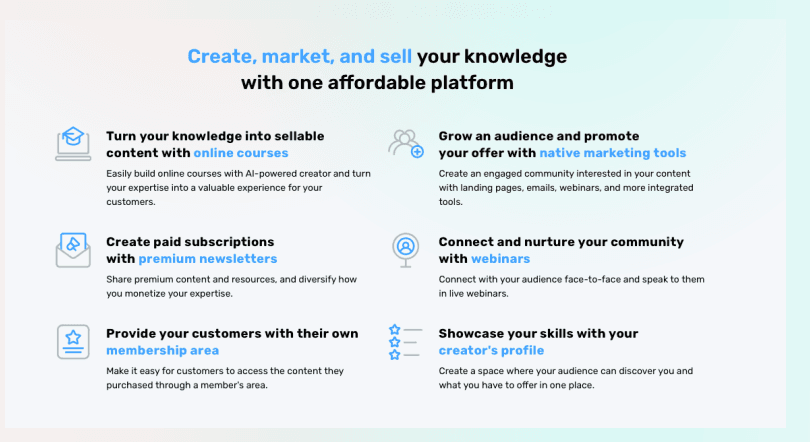
The GetResponse Course Creator is a dynamic tool designed to help content creators, educators, and entrepreneurs transform their expertise into engaging, profitable online courses. In today’s digital era, sharing knowledge has become a significant avenue for both personal and business growth, and GetResponse’s Course Creator offers a streamlined way to develop, market, and sell courses all within one platform.
Whether you’re an industry expert, a coach, or a business looking to offer training, the Course Creator provides all the essential tools to turn your knowledge into an income-generating asset. With its intuitive drag-and-drop interface, you can easily design and structure course materials, add multimedia elements, and create quizzes to enhance the learning experience for your audience. This simplicity allows creators to focus on delivering valuable content without needing advanced technical skills.
Key Features of GetResponse Course Creator:
- Customizable Course Builder: Easily create structured lessons with videos, documents, and other content formats. The platform offers flexibility to build anything from short tutorials to in-depth courses with multiple modules.
- Unlimited Courses: With GetResponse, there are no limits on the number of courses you can create. This feature empowers you to continuously expand your offerings and build a full library of educational content.
- Engagement Tools: Enhance your courses with interactive quizzes, assignments, and progress-tracking features to keep learners engaged and motivated.
- Responsive Design: Your courses will automatically be optimized for both desktop and mobile devices, providing learners with a seamless experience regardless of how they access your content.
How to Monetize Your Content with GetResponse Course Creator:

- Set Pricing Models: GetResponse allows you to offer your courses through various pricing structures. You can choose between one-time payments, subscription models, or even tiered pricing, enabling you to tailor your course offerings to different audience segments. Pricing starts from for Content Monetization ₹4060.3/mo* if you plan to buy an annual plan (GetResponse gives you free access for 1 month with all features)
The plan includes:- Up to 500 active students
- Unlimited courses
- Quizzes & certificates
- No transaction fees
- 24/7 live chat support
- Plus, unlimited access to:
- Email marketing
- Autoresponders
- Marketing automation
- Websites & landing pages
- Integrations & API
- Create Bundle Packages: Maximize your revenue potential by bundling multiple courses together. You can offer discounts for learners who purchase several courses at once, encouraging them to invest more.
- Sell Directly from Your Website: With the Course Creator, you can integrate your courses directly into your existing website or build a standalone site with GetResponse’s landing page builder. This helps you maintain brand consistency while offering a seamless purchasing process.
- Automated Marketing Tools: Use GetResponse’s marketing suite to promote your courses. Leverage email campaigns, marketing automation, and social media integrations to reach a wider audience. You can set up drip campaigns to nurture leads, send reminders for abandoned carts, or notify subscribers about upcoming courses.
- Native Marketing Tools: Email Marketing & Autoresponders, Marketing Automation, Website builder & landing pages, Popups & forms, Webinars
- Integrate Payment Gateways: The platform integrates with popular payment gateways like PayPal and Stripe, making it easy to accept payments securely. This ensures a smooth transaction process, both for one-time purchases and recurring subscriptions.
- Offer Free Previews or Webinars: Use free content to attract potential buyers. With GetResponse’s webinar functionality, you can offer a free introductory lesson or a live session to showcase the value of your course. This helps build trust and convinces your audience to make a purchase.
- Upsell and Cross-Sell Opportunities: Once a student enrolls in one of your courses, you can use automated upselling and cross-selling techniques to promote related courses or additional content. This is a great way to increase the lifetime value of each customer.
The GetResponse Course Creator not only simplifies the course creation process but also equips you with a range of monetization tools to turn your knowledge into a profitable business. With its all-in-one approach, it eliminates the need for multiple platforms, allowing you to manage everything from course creation to marketing and payment in one seamless platform. Whether you’re just starting or looking to scale, the GetResponse Course Creator offers the flexibility and functionality you need to successfully monetize your content.
The GetResponse Creator’s Profile is a powerful feature designed to enhance the visibility and credibility of content creators within the GetResponse ecosystem. In an era where personal branding and professional presence are crucial for success, this profile serves as a centralized hub for creators to showcase their expertise, build their audience, and connect with potential customers more effectively.
With the Creator’s Profile, users can present a comprehensive overview of their skills, experience, and offerings in a professional manner. This profile acts as a digital portfolio, allowing creators to highlight their unique selling propositions, educational background, and relevant achievements. By presenting this information in an organized and visually appealing format, creators can instill confidence in their audience, positioning themselves as trustworthy and knowledgeable figures in their respective fields.
Key Features of GetResponse Creator’s Profile:
- Customizable Profile Layout: Creators can tailor their profiles to reflect their brand identity, incorporating personalized images, logos, and descriptions that resonate with their target audience. This customization allows for a more engaging and authentic representation of the creator's personality and expertise.
- Showcase Offerings: The Creator’s Profile enables users to prominently display their courses, webinars, and other products. This feature helps potential customers easily navigate through available content, making informed decisions about their purchases.
- Testimonials and Reviews: Social proof is critical in building trust and credibility. The profile allows creators to showcase testimonials and reviews from previous students or customers, providing prospective buyers with insights into the quality of their offerings and the value they deliver.
- Integration with Marketing Tools: The Creator’s Profile seamlessly integrates with GetResponse’s marketing tools, allowing creators to promote their profile across various channels. This integration facilitates greater visibility and encourages audience engagement through targeted campaigns and outreach efforts.
- Analytics and Insights: Creators can access performance analytics to monitor how their profiles are performing in terms of visitor engagement and conversions. These insights enable users to refine their strategies and optimize their offerings based on audience behavior.
Benefits of Utilizing GetResponse Creator’s Profile:
- Enhanced Credibility: A well-crafted Creator’s Profile positions you as an authority in your niche, helping to establish your credibility and attract a dedicated following.
- Improved Discoverability: By creating a detailed and engaging profile, you increase your chances of being discovered by new audiences looking for specific content or expertise.
- Streamlined Customer Engagement: The profile serves as a centralized platform for potential customers to learn about your offerings and connect with you, fostering deeper engagement and increasing the likelihood of conversions.
- Brand Building: With a cohesive and professional profile, you can effectively build and promote your brand identity, making it easier for your audience to recognize and remember you.
- Long-Term Growth: By leveraging the Creator’s Profile feature, you can create lasting relationships with your audience, leading to increased loyalty, repeat customers, and sustained growth over time.
In summary, the GetResponse Creator’s Profile is an essential tool for any content creator looking to elevate their online presence and monetize their expertise. By showcasing their offerings in a professional and engaging manner, creators can effectively attract and retain an audience, ultimately driving sales and fostering long-term success. Whether you are an educator, coach, or entrepreneur, leveraging this feature can significantly enhance your ability to connect with your audience and achieve your business goals.
Monetizing your courses using the GetResponse AI Courses Too

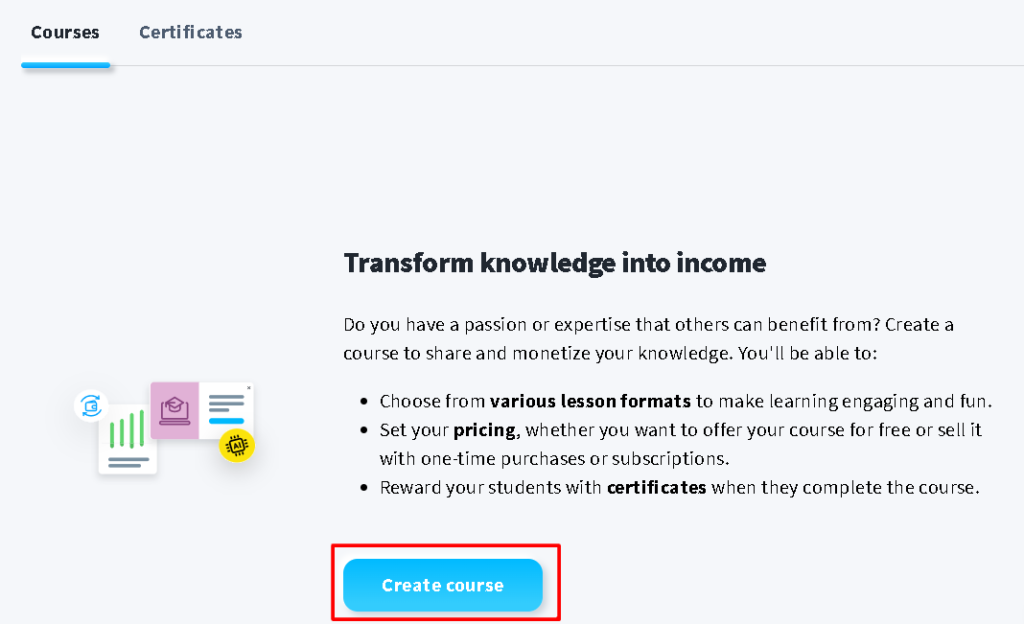
Monetizing your courses using the GetResponse AI Courses Tool is a powerful and streamlined process that allows you to turn your knowledge and expertise into a profitable business. The platform integrates course creation, marketing, sales, and payment systems into one seamless solution. Below is a detailed guide on how you can monetize your courses effectively using GetResponse AI.
1. Create Engaging Courses with AI
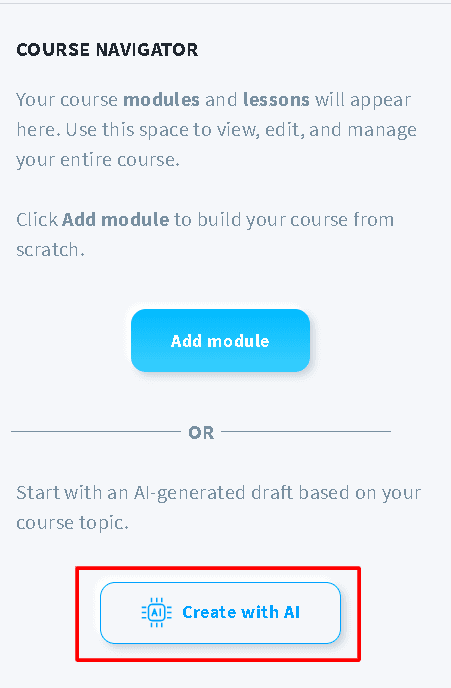
The first step to monetizing your knowledge is to create high-quality, engaging courses. GetResponse AI assists you by generating course outlines, lesson plans, and content suggestions tailored to your chosen topic. The ease of content creation means you can focus on providing value to your audience, which directly impacts your ability to sell.
Key Monetization Points:
- High-Quality Content: Courses with comprehensive, well-structured content are more likely to attract paying customers.
- Interactive Elements: Adding quizzes, assignments, and multimedia content enhances the learning experience, increasing the perceived value of your course.
2. Choose Your Pricing Model
One of the key features of the GetResponse AI Courses Tool is the flexibility it offers in terms of pricing. You can tailor your pricing strategy to fit your business model and audience preferences.
Monetization Options:
- One-Time Payment: This option allows customers to pay a single fee to access your entire course. It works well for standalone courses with a finite number of lessons. Example: Charge $99 for full access to a “Beginner’s Guide to Social Media Marketing.”
- Subscription Model: Offer ongoing access to your courses for a recurring monthly or yearly fee. This is an excellent option for creators who plan to regularly update or add new content. Example: Charge $20 per month for access to a growing library of digital marketing courses.
- Tiered Pricing: Create different pricing tiers for different levels of access. For example, a basic plan might offer access to the core course, while a premium plan includes additional content, exclusive materials, or one-on-one coaching. Example: Basic access at $50, Premium access with coaching at $150.
- Free Courses with Upsells: Offer free courses to attract a larger audience, then upsell more advanced or premium content. GetResponse allows you to easily segment your audience and target them with upsell campaigns through its automation features. Example: Free introductory course on SEO, with an upsell to a $199 advanced SEO masterclass.
3. Monetize Through Bundled Courses
GetResponse AI allows you to bundle multiple courses into a single package, which can significantly increase the average order value.
How It Works:
- Create Course Bundles: Combine several related courses into a bundled offer at a discounted rate, incentivizing customers to purchase more than one course at a time. Example: Bundle “Content Marketing Basics” and “Advanced Content Strategy” into a single package for $179 instead of $250 if purchased separately.
- Upselling Bundles: After a customer purchases one course, you can offer them a bundled deal with additional courses at a discount, further increasing revenue potential.
4. Leverage GetResponse’s Automated Marketing for Monetization
One of the most valuable aspects of GetResponse is its automation capabilities, which allow you to effortlessly market and sell your courses.
Strategies to Increase Sales:
- Email Marketing Campaigns: Use GetResponse’s email marketing tools to set up campaigns that nurture leads and promote your courses. AI-generated emails can help you create personalized campaigns based on customer behavior and preferences. Example: Send a series of follow-up emails to individuals who signed up for a free webinar, offering them an exclusive discount on your course.
- Abandoned Cart Emails: Set up automatic emails to target users who viewed or started the checkout process but did not complete the purchase. This gentle reminder often leads to a significant increase in sales. Example: “We noticed you were interested in our Digital Marketing course! Here’s a 10% discount to complete your enrollment.”
- Webinars and Previews: Use GetResponse to host free webinars or provide free course previews to attract potential buyers. Offering a taste of your content can help build trust and entice learners to make a purchase.
5. Offer Discounts and Promotions
Attract more customers by offering limited-time promotions or discounts. GetResponse allows you to integrate discount codes or run promotions that help drive sales.
Effective Discounting Strategies:
- Limited-Time Offers: Create urgency by offering time-sensitive discounts (e.g., 20% off for the first 50 enrollments or a 48-hour flash sale). Example: "Enroll in our ‘SEO Mastery’ course within the next 24 hours and get 30% off!"
- Seasonal Promotions: Use holidays or special events to run seasonal sales, such as New Year’s promotions or Black Friday discounts.
- Loyalty Discounts: Reward your existing students by offering them discounts on future courses.
6. Sell Directly from Your Website or Landing Pages
GetResponse allows you to build custom landing pages for your courses, making it easy to sell directly to your audience. You can either integrate your courses into your existing website or create dedicated sales pages using the drag-and-drop page builder.
Key Monetization Tactics:
- High-Converting Sales Pages: Use AI to generate compelling sales copy for your landing pages. Highlight the benefits of your course, include testimonials, and create strong calls to action (CTAs) that drive enrollments.
- Payment Gateways: GetResponse integrates with major payment platforms like PayPal and Stripe, ensuring secure and seamless transactions for your customers. You can set up both one-time payments and recurring billing options directly on your sales page.
7. Monetize Through Upselling and Cross-Selling
GetResponse’s automation tools make it easy to upsell and cross-sell additional courses or premium services, increasing the lifetime value of each customer.
Example Strategies:
- Upsell: Once a customer completes a beginner-level course, automatically recommend an advanced version or a related course. This can be done through automated emails or in-course notifications. Example: After someone finishes “Email Marketing Basics,” offer them “Advanced Email Automation” at a discounted rate.
- Cross-Sell: Promote additional content or products, such as ebooks, coaching services, or membership programs, that complement the course the student just completed.
8. Analyze and Optimize for Revenue Growth
GetResponse offers analytics and reporting tools that allow you to track the performance of your courses, sales, and marketing campaigns. Monitoring these metrics helps you identify what’s working and where improvements can be made.
Use Analytics to:
- Track Sales Performance: Analyze how different pricing models, bundles, or promotions impact your overall revenue.
- Optimize Campaigns: Adjust your email marketing campaigns and automation flows based on open rates, click-through rates, and conversion rates.
- Improve Customer Retention: Use insights on learner engagement to improve course content, keeping students satisfied and more likely to purchase additional courses.
Conclusion
Monetizing your courses with the GetResponse AI Courses Tool is a comprehensive process that combines AI-driven content creation with powerful marketing and sales features. By choosing the right pricing model, bundling your courses, leveraging automated marketing tools, and analyzing performance, you can create a sustainable revenue stream from your expertise. With GetResponse, you have all the tools you need to maximize the value of your content and grow your online business.