E-Paper CMS
  • Home
  • E-Paper
  • Web Stories
Subscriber Login
Menu
HomeBlog
Blog

The Role of Server-Level Caching in WordPress Performance
admin Oct 08, 2025 1 view
The Role of Server-Level Caching in WordPress Performance
Listen to this articleReady

Every second counts when discussing WordPress website performance. Websites that take too long to load annoy users, decrease interaction levels, and negatively impact search engine rankings. The more commonly utilized caching is the plugin-based caching, and the next level is the server-level caching, which is one that speeds up content delivery at the hosting infrastructure level.

Server-level caching of the basic WordPress hosting, unlike normal caching, removes the redundant processing. It also gets fewer queries to the database and provides a smoother user experience. In case your business depends on WordPress to draw in traffic, leads, or sales, this performance boost will determine whether you keep your visitors or they go to competitors who have a better performance.

What is Server-Level Caching?

Server-level caching is the caching of versions of website pages at the server. It entails the case where when the users request content, the server sends it without reloading the page every time.

Also, it saves end users a lot of time by pinching down the execution of PHP and the number of database lookups. It ensures that WordPress websites hosted by the managed WordPress hosting providers are more reliable and quicker than the use of only a caching of the plugins.

1.      Improved Largest Contentful Paint (LCP)

Google's Core Web Vitals put significant emphasis on LCP as a ranking factor. Server cache is key in enabling heavy images, banners, and content to load quickly.

This not only allows a website to rank higher, but also establishes a good first impression to the user who expects things to work quickly.

2.      Reduced Server Load During Traffic Spikes

High-traffic events, like product launches or seasonal sales, overwhelm servers running WordPress. By using server caching, we offload the server by serving cached pages rather than creating each request dynamically.

Towards this end, websites now remain up and running, responsive and stable, even if thousands of users are simultaneously accessing the same pages, eliminating downtime and unresponsive access.

3.      Better Compatibility with CDNs

Server-level caching works seamlessly with CDNs (Content Delivery Networks). Cached pages are pushed across global servers. It ensures content is served from the closest geographical location to the user.

Combined with the minimized latency approach, it also reduces bounce rates and guarantees consistent performance worldwide.

4.      Enhanced First Input Delay (FID)

Slow website engagement rate, like clicking a button or form loading, frustrates users. Server-level caching reduces the delay caused by backend processes.

With inadequate resources consumed per request, WordPress websites become interactive and responsive, improving FID and overall usability.

5.      Lower Resource Consumption

Optimized WordPress servers repeatedly execute scripts and query databases. It consumes less CPU memory. Server-level caching bypasses the performance lag and ensures faster content delivery.

This efficiency accelerates performance and also allows businesses to manage web hosting costs effectively, avoiding the need for constant server upgrades.

6.      A Foundation for Scalability

Server-level caching builds a solid foundation for a growing website and its scalability. It ensures consistent performance as traffic and content demand increase.

It is possible to prepare WordPress websites for long-term growth without sacrificing speed or reliability by implementing caching at the infrastructure level

7.      SEO and Conversion Rate Benefits

Server-level caching contributes to better SEO outcomes. As we all know that search engine prioritizes faster websites in their SERPs (Search Engine Result Pages). With the maximum speed and stability, WordPress websites attain higher online visibility in search results.

Whereas users who enjoy a seamless browsing experience are likely to stay longer, explore more pages, and convert into customers. Overall, it boosts both traffic and revenue.

8.      Future-Proofing WordPress Performance

The demand for fast server infrastructure will increase with the number of interactive websites. More content-rich, and AI-driven featured websites will grow timely. Server-level caching ensures the WordPress website is competitive, no matter how technology advances.

With caching and current hosting environments, companies can develop futuristic websites, where responsiveness and stability are assured to attain customer expectations and Google EEAT standards.

Conclusion

Caching on the server level is not an upgrade on the technical level only, but a competitive advantage. It makes WordPress websites perform in the real world in a different way, speeding up load times, enhancing Core Web Vitals, and providing stability and performance under load.

In the case of businesses, server-level caching translates to higher rankings, satisfied users, and a scalable website. It is not simply a good optimization in a digital world that moves at a speed, but it is a necessity.
Latest posts

Introducing the Power of AI-Powered GetResponse Email Newsletter:Best Email Marketing Software: A Comprehensive Comparison for Empowering Your Marketing EffortsHow to Make Sure Emails Don't Go to Spam? SMTP Using Amazon SESSend WordPress contact email with WP Mail SMTP ProTop 5 Email Marketing Service Provider for Small Business Marketers

Popular posts

01How to easily set up a Google Analytics Stats Dashboard on WordPress 10 views02How To Easily Set Up Form Conversion Tracking in WordPress (Google Analytics) 0 views03Do You Know Which Keywords People Use To Find Your Website on Google? 0 views04MonsterInsights: Track your Website by Google Analytics inside WordPress Dashboard 0 views

Cricket scores

No cricket matches are available.

Weather

Weather27°
Feels like
30°
Humidity
61%
Wind
12 km/h

Latest e-paper

E-Paper

2026-10-12

Facebook

Instagram

New edition: | 12 Oct 2026 Read now: https://200.wpwebsmartz.com/view.php?id=812 Oct 2026Discover a dedicated solution for digital newspaper management with the WPWebsmartz E-Paper CMS. This content management system is specifically designed for managing and publishing digital e-paper editions. Watch this video to explore the core capabilities of the WPWebsmartz E-Paper CMS for digital publishing and newspaper management. Learn more here: https://license.wpwebsmartz.com/epaper_standalone.php #WPWebsmartz #EPaper #EPaperCMS #DigitalPublishing #CMS #NewspaperCMS https://www.youtube.com/watch?v=vb34qg709OQ07 Oct 2026Discover the WPWebsmartz E paper CMS. Explore the dedicated system designed for managing and publishing your e-paper content online. Click the link to learn more about the features and capabilities of WPWebsmartz E paper CMS today. #WPWebsmartz #Epaper #CMS #DigitalPublishing https://license.wpwebsmartz.com/epaper_standalone.php07 Oct 2026Discover the WPWebsmartz E paper CMS. Explore the dedicated system designed for managing and publishing your e-paper content online. Click the link to learn more about the features and capabilities of WPWebsmartz E paper CMS today. #WPWebsmartz #Epaper #CMS #DigitalPublishing https://license.wpwebsmartz.com/epaper_standalone.php07 Oct 2026Are you looking for fully managed dedicated server hosting? A managed dedicated server is always required to get the best performance for your platform. Check out our full Liquid Web Managed Dedicated Server Hosting review to learn more. #LiquidWeb #DedicatedServer #WebHosting #ManagedHosting #HostingReview https://wpwebsmartz.com/liquidweb-fully-managed-dedicated-server-hosting/03 Oct 2026

YouTube

Add the YouTube URL or content URLs in Settings → Articles.

Featured posts

Top Staff Augmentation Companies in India
How Does WooCommerce Product Gallery Support Self-Hosted and Vimeo Videos?The Role of Server-Level Caching in WordPress PerformanceWhy Your Website Needs a Security Plan, Even If You Don't Handle Payments?Why Colour Choices Matter in Web Design

Horoscope

♈ಮೇಷ♉ವೃಷಭ♊ಮಿಥುನ♋ಕರ್ಕಾಟಕ♌ಸಿಂಹ♍ಕನ್ಯಾ♎ತುಲಾ♏ವೃಶ್ಚಿಕ♐ಧನು♑ಮಕರ♒ಕುಂಭ♓ಮೀನು

E-Paper clips

The latest editions do not contain hotspot clips yet.

Web Stories

8 slidesData-Safe WordPress Hosting with Built-In Backup Support 

Reader Survey

Reader Survey

Register your interest and tell us how to contact you.

Your name
Your email address
Which session will you attend?

Related Stories

Dedicated Servers vs Cloud Servers: Which Is Better for High-Traffic Websites in 2026?
Blog

Dedicated Servers vs Cloud Servers: Which Is Better for High-Traffic Websites in 2026?

A sudden traffic spike can be great for your business, but not if your server cannot keep up. As visitors increase, so do database queries, concurrent connections and resource usage. That is where the choice between a dedicated server and a cloud server starts to matter. Cloud servers give you the flexibility to scale

How Digital Publishing Platforms Are Transforming Content Distribution and Reader Engagement
Blog

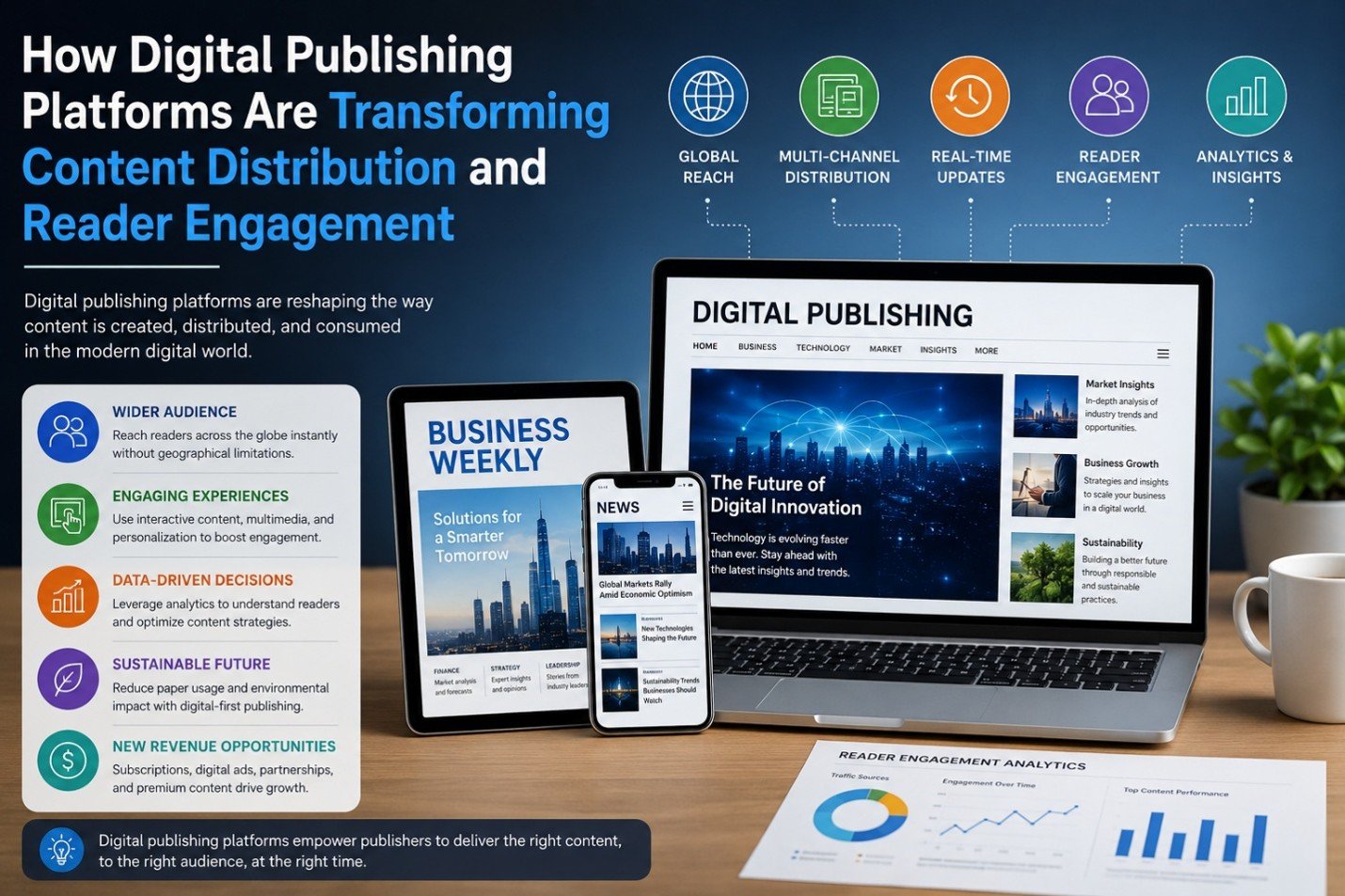
How Digital Publishing Platforms Are Transforming Content Distribution and Reader Engagement

The past decade has witnessed phenomenal shifts in the publishing sector. Digital publishing solutions continue to support – and in many cases, transform - print-centric solutions for providing information across business and media applications ranging from business, news and trade magazines to ebooks. The solutions al

The Impact of AI on SEO and Content Marketing
Blog

The Impact of AI on SEO and Content Marketing

The Impact of AI on SEO and Content Marketing

How to Create a Better Ordering Process for Personalized Products
Blog

How to Create a Better Ordering Process for Personalized Products

Have you ever been excited to buy something personalized, only to get stuck halfway through the ordering process and think, “I'll come back to this later”? Most people never come back. That’s the frustrating part. The customer already wants the product. They aren’t comparing ten competitors. They aren’t debating whethe

Why Every WooCommerce Store Needs a Side Cart
Blog

Why Every WooCommerce Store Needs a Side Cart

Have you ever added something to an online cart and then been immediately redirected to a completely different page? It’s frustrating. You were browsing and comparing products and maybe thinking about buying a few more items. Then suddenly, you’re staring at the cart page instead of the products you wanted to keep expl

The First Backup Plugin with Free Native Cloud Storage
Blog

The First Backup Plugin with Free Native Cloud Storage

Website backups are among the most essential safeguards for any WordPress site. Updates don’t always go as planned, plugins can clash, and unexpected issues like security breaches or server downtime can occur at any time. In those situations, having a recent backup can mean restoring your site in minutes instead of reb

Latest NewsLive updates
  • Home
  • E-Paper
  • Web Stories
Logo

© 2025 E-Paper CMS. All rights reserved. | Developed by sunilubar.974@gmail.com

Epaper CMS by WPWebsmartz